
.svg)
Using the Learning Management System (LMS)

The Learning Management System (LMS) is the digital platform where you can access unit materials, submit assessments, view grades, and stay up to date with important announcements.
Blackboard LMS
The Blackboard Ultra Learning Management System (LMS) is the digital platform where you’ll find all the content for your units.
In the LMS, you can:
- view unit information and announcements from your Unit Coordinator
- access your Unit Outlines and weekly unit schedules
- access lecture slides and notes
- watch recorded lectures
- access your reading list
- submit assignments and get feedback
- join discussions with other students.
To access the LMS via a web browser, we recommend using Google Chrome or Mozilla Firefox. You can also download and use the Blackboard App where you’ll find some useful guides.
Navigating units
After logging in to the LMS, select the Units tab to view unit sites.
The Content Page in each unit site includes a navigation menu horizontally across the top of the page and Unit Content in the centre.
Watch this introductory video
Blackboard Student Orientation
You can also self-enrol in our Blackboard Ultra Student Orientation site to learn more.
1. Log in to the Blackboard LMS.
2. Access the site link : EduBlackboard.
3. Select the Submit button to enrol.
Learning materials
Unit content in the LMS is organised into modules according to week or topic. Click on the title of a Module to see the content your Unit Coordinator has added, such as instructions for a weekly tutorial, lecture notes, or practice questions.
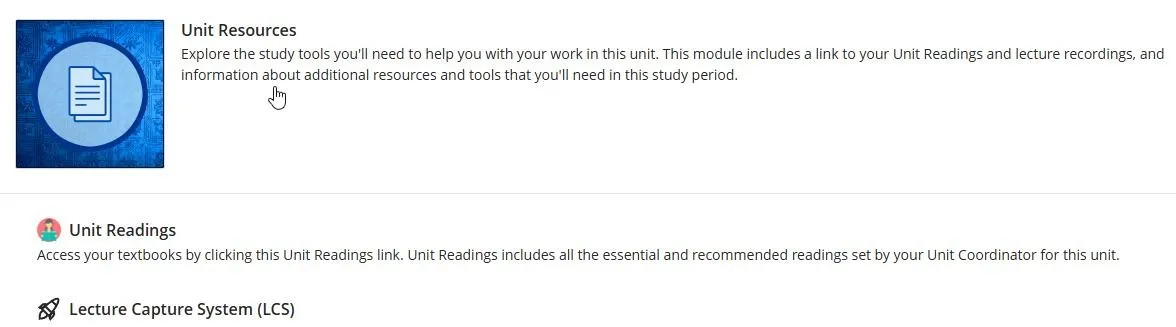
Your unit site also includes a Unit Resources section, with links to the full collection of lecture recordings for your unit and the full list of Unit Readings.

.webp)
Viewing grades and feedback
When your Unit Coordinator releases grades for an assessment, your grades will be visible in the LMS Grade Centre tab.
Some types of assessment, such as multiple-choice quizzes, may display your grade immediately.
For longer written assessments, your Unit Coordinator will usually provide feedback in addition to a grade. You can view feedback by clicking on the assessment title in Grade Centre.
LMS guides and FAQs
Refer to the following resources for more help to get started with Blackboard.
🌐 Blackboard Learn for Students
📺 YouTube: Blackboard Tutorials - Students


.webp)
.svg)

.svg)
.svg)
.svg)
.webp)